Skip to Main ContentStart of Main Content

„Fedora Scientific Lab“

Ar pavargote iš naujo įdiegti įrankius, būtinus jūsų mokslinei veiklai? Jūs radote sprendimą. „Fedora Scientific Spin“ sujungia geriausius atvirojo kodo mokslinius ir skaičiavimo įrankius bei gražią KDE darbalaukio aplinką.

Šiuo metu „Fedora Scientific“ pristato daugybę programų ir bibliotekų. Tai svyruoja nuo bibliotekų, tokių kaip „GNU Scientific“ biblioteka, „SciPy“ bibliotekos, įrankiai, tokie kaip „Octave“ ir „xfig“, iki rinkimo įrankių, tokių kaip „Kile“, ir grafikos programų, tokių kaip „Inkscape“. Dabartinis paketų rinkinys apima IDE, įrankius ir bibliotekas, skirtas programuoti C, C++, Python, Java ir R kalbomis. Taip pat yra bibliotekos lygiagrečiam skaičiavimui, pvz., „OpenMPI“ ir „OpenMP“. Komplekte yra rinkimo, rašymo ir publikavimo įrankiai.
Išskirtos programos

„IPython“

„IPython“ yra patobulintas interaktyvus apvalkalas su įvairiomis funkcijomis, skirtas palaikyti greitą interaktyvų skaičiavimą.
„Pandas“

„Pandas“ yra „Python“ biblioteka, dažniausiai naudinga duomenų analizei.
„Gnuplot“

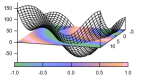
„Gnuplot“ yra komandų eilutėmis valdoma programa, skirta kurti 2D ir 3D grafikus.

„Matplotlib“

„Matplotlib“ yra turtingiausia „Python“ biblioteka, skirta publikuoti paruoštiems grafikams ir figūroms kurti.

„LaTeX“

„Fedora Scientific“ apima visą įrankių grandinę, reikalingą kuriant dokumentus naudojant LaTeX.

„GNU Octave“

„GNU Octave“ yra aukšto lygio programavimo kalba ir skaitmeninio skaičiavimo aplinka, dažniausiai suderinama su „MATLAB“.

„GNU Scientific Library“

„GNU Scientific Library“ yra C/C++ biblioteka, teikianti platų matematinių veiksmų rinkinį.

Atsisiųsti „Fedora Scientific Lab“ 45

IŠLEIDIMO DATA:

For Intel and AMD x86_64 systems

„Fedora Scientific Lab“ 45Live ISO iso6.3 GiB

Verify Your Download

Verify your download for security and integrity using the checksum file. If the checksum file has a valid signature from one of the the Fedora Project's OpenPGP certificates, and the SHA256 checksum matches the download, then the download is valid.

  • Atsisiųskite kontrolinės sumos failas į tą patį katalogą kaip ir atsisiųstas atvaizdas.

  • Download Fedora's OpenPGP certificates.

    curl -O https://fedoraproject.org/fedora.pgp
    curl -O https://fedoraproject.org/fedora.gpg

    Galite patikrinti daugiau detalių apie OpenPGP sertifikatus čia.

  • Use the OpenPGP-verified checksum to verify the download.
    You can use sq or gpgv to verify the checksum file.

    sq verify --cleartext --signer-file ./fedora.pgp \
                          Fedora-Labs-45-1.4-x86_64-CHECKSUM \
                          | sha256sum -c --ignore-missing
                    
    gpgv --keyring ./fedora.gpg --output - \
                          Fedora-Labs-45-1.4-x86_64-CHECKSUM \
                          | sha256sum -c --ignore-missing
                    

Jei išvestis nurodo, kad failas validus, tada jis paruoštas naudoti!


Alternatively, if you just want to test for unintentional file corruption, you can skip the OpenPGP verification. The SHA256 checksum for this download should be:

0e6c889a7cfe44cdea8ee00d139b495f15f5b301c9677a5124a5ed0335843f3d

„Fedora Scientific Lab“ 45Vagrant libvirt vagrant-libvirt.box4.6 GiB

Verify Your Download

Verify your download for security and integrity using the checksum file. If the checksum file has a valid signature from one of the the Fedora Project's OpenPGP certificates, and the SHA256 checksum matches the download, then the download is valid.

  • Atsisiųskite kontrolinės sumos failas į tą patį katalogą kaip ir atsisiųstas atvaizdas.

  • Download Fedora's OpenPGP certificates.

    curl -O https://fedoraproject.org/fedora.pgp
    curl -O https://fedoraproject.org/fedora.gpg

    Galite patikrinti daugiau detalių apie OpenPGP sertifikatus čia.

  • Use the OpenPGP-verified checksum to verify the download.
    You can use sq or gpgv to verify the checksum file.

    sq verify --cleartext --signer-file ./fedora.pgp \
                          Fedora-Labs-45-1.4-x86_64-CHECKSUM \
                          | sha256sum -c --ignore-missing
                    
    gpgv --keyring ./fedora.gpg --output - \
                          Fedora-Labs-45-1.4-x86_64-CHECKSUM \
                          | sha256sum -c --ignore-missing
                    

Jei išvestis nurodo, kad failas validus, tada jis paruoštas naudoti!


Alternatively, if you just want to test for unintentional file corruption, you can skip the OpenPGP verification. The SHA256 checksum for this download should be:

a070ea48baeac42c1d1581a6ec9b4f381b371792f03b3e6c5424f84e02cc8281

„Fedora Scientific Lab“ 45Vagrant VirtualBox vagrant-virtualbox.box4.5 GiB

Verify Your Download

Verify your download for security and integrity using the checksum file. If the checksum file has a valid signature from one of the the Fedora Project's OpenPGP certificates, and the SHA256 checksum matches the download, then the download is valid.

  • Atsisiųskite kontrolinės sumos failas į tą patį katalogą kaip ir atsisiųstas atvaizdas.

  • Download Fedora's OpenPGP certificates.

    curl -O https://fedoraproject.org/fedora.pgp
    curl -O https://fedoraproject.org/fedora.gpg

    Galite patikrinti daugiau detalių apie OpenPGP sertifikatus čia.

  • Use the OpenPGP-verified checksum to verify the download.
    You can use sq or gpgv to verify the checksum file.

    sq verify --cleartext --signer-file ./fedora.pgp \
                          Fedora-Labs-45-1.4-x86_64-CHECKSUM \
                          | sha256sum -c --ignore-missing
                    
    gpgv --keyring ./fedora.gpg --output - \
                          Fedora-Labs-45-1.4-x86_64-CHECKSUM \
                          | sha256sum -c --ignore-missing
                    

Jei išvestis nurodo, kad failas validus, tada jis paruoštas naudoti!


Alternatively, if you just want to test for unintentional file corruption, you can skip the OpenPGP verification. The SHA256 checksum for this download should be:

63e33c4afde2a934f3eac72492bafe0bc2b02840f2856b87579f896664d2cac5

For ARM® aarch64 systems

„Fedora Scientific Lab“ 45Live ISO iso6.0 GiB

Verify Your Download

Verify your download for security and integrity using the checksum file. If the checksum file has a valid signature from one of the the Fedora Project's OpenPGP certificates, and the SHA256 checksum matches the download, then the download is valid.

  • Atsisiųskite kontrolinės sumos failas į tą patį katalogą kaip ir atsisiųstas atvaizdas.

  • Download Fedora's OpenPGP certificates.

    curl -O https://fedoraproject.org/fedora.pgp
    curl -O https://fedoraproject.org/fedora.gpg

    Galite patikrinti daugiau detalių apie OpenPGP sertifikatus čia.

  • Use the OpenPGP-verified checksum to verify the download.
    You can use sq or gpgv to verify the checksum file.

    sq verify --cleartext --signer-file ./fedora.pgp \
                          Fedora-Labs-45-1.4-aarch64-CHECKSUM \
                          | sha256sum -c --ignore-missing
                    
    gpgv --keyring ./fedora.gpg --output - \
                          Fedora-Labs-45-1.4-aarch64-CHECKSUM \
                          | sha256sum -c --ignore-missing
                    

Jei išvestis nurodo, kad failas validus, tada jis paruoštas naudoti!


Alternatively, if you just want to test for unintentional file corruption, you can skip the OpenPGP verification. The SHA256 checksum for this download should be:

1baed55bdfb140ae68225aff35072ae4bdf112cb2c2a523ae9b7fa1fa6769763

„Fedora Scientific Lab“ 45Vagrant libvirt vagrant-libvirt.box4.1 GiB

Verify Your Download

Verify your download for security and integrity using the checksum file. If the checksum file has a valid signature from one of the the Fedora Project's OpenPGP certificates, and the SHA256 checksum matches the download, then the download is valid.

  • Atsisiųskite kontrolinės sumos failas į tą patį katalogą kaip ir atsisiųstas atvaizdas.

  • Download Fedora's OpenPGP certificates.

    curl -O https://fedoraproject.org/fedora.pgp
    curl -O https://fedoraproject.org/fedora.gpg

    Galite patikrinti daugiau detalių apie OpenPGP sertifikatus čia.

  • Use the OpenPGP-verified checksum to verify the download.
    You can use sq or gpgv to verify the checksum file.

    sq verify --cleartext --signer-file ./fedora.pgp \
                          Fedora-Labs-45-1.4-aarch64-CHECKSUM \
                          | sha256sum -c --ignore-missing
                    
    gpgv --keyring ./fedora.gpg --output - \
                          Fedora-Labs-45-1.4-aarch64-CHECKSUM \
                          | sha256sum -c --ignore-missing
                    

Jei išvestis nurodo, kad failas validus, tada jis paruoštas naudoti!


Alternatively, if you just want to test for unintentional file corruption, you can skip the OpenPGP verification. The SHA256 checksum for this download should be:

83e5a57f0a0922dafb29076265b463f1a38484eca331046d7db7df18a9f0c5f1

„Fedora Scientific Lab“ 45Raw raw.xz7.2 GiB

Verify Your Download

Verify your download for security and integrity using the checksum file. If the checksum file has a valid signature from one of the the Fedora Project's OpenPGP certificates, and the SHA256 checksum matches the download, then the download is valid.

  • Atsisiųskite kontrolinės sumos failas į tą patį katalogą kaip ir atsisiųstas atvaizdas.

  • Download Fedora's OpenPGP certificates.

    curl -O https://fedoraproject.org/fedora.pgp
    curl -O https://fedoraproject.org/fedora.gpg

    Galite patikrinti daugiau detalių apie OpenPGP sertifikatus čia.

  • Use the OpenPGP-verified checksum to verify the download.
    You can use sq or gpgv to verify the checksum file.

    sq verify --cleartext --signer-file ./fedora.pgp \
                          Fedora-Labs-45-1.4-aarch64-CHECKSUM \
                          | sha256sum -c --ignore-missing
                    
    gpgv --keyring ./fedora.gpg --output - \
                          Fedora-Labs-45-1.4-aarch64-CHECKSUM \
                          | sha256sum -c --ignore-missing
                    

Jei išvestis nurodo, kad failas validus, tada jis paruoštas naudoti!


Alternatively, if you just want to test for unintentional file corruption, you can skip the OpenPGP verification. The SHA256 checksum for this download should be:

a008b204b76eac4b2ee06d0d15cd5a80c1b7a617e03c3c17d54fea9bddbfc44a
Šiai versijai failų nėra.
„Fedora Media Writer“ piktograma

Fedora Media Writer

Getting started with Fedora Linux is easier than ever. All you need is a 4GB USB flash drive and the Fedora Media Writer utility.

After Fedora Media Writer is installed, you can use it to write a "Live" version of Fedora Linux to a flash drive. You will then be able to boot from your flash drive and try Fedora Linux out without making any permanent changes to your computer. Once you are hooked, transferring Fedora Linux from the flash drive to your computer's hard drive is a matter of clicking a few buttons.* Learn More

  • Most Fedora Linux variants recommend 40GB disk space and 4GB RAM to install and run. Double these amounts might yield a better experience depending on how the system is being used.

Fedora Media WriterApple macOS dmg !58.5 MiB

Fedora Media WriterApple macOS (ARM64) dmg !58.5 MiB

Fedora Media WriterMicrosoft Windows exe28.8 MiB

Fedora Media WriterMicrosoft Windows zip38.8 MiB

Fedora Media WriterLinux flatpak

!The macOS installer is not signed. You will need to run the following command to remove the "quarantine" attribute from the downloaded file before macOS will allow it to run: xattr -d com.apple.quarantine FedoraMediaWriter-macos-*.dmg

Į saugumą žiūrime rimtai

Atsisiuntę atvaizdą būtinai patikrinkite jo saugumą ir vientisumą.

By calculating a image's checksum and comparing it to its original checksum, you can verify that a image has not been tampered with or corrupted. Images are also signed with the Fedora Project's OpenPGP keys to demonstrate their integrity.

Spustelėkite patvirtinimo mygtuką , kad gautumėte atsisiuntimui pritaikytas instrukcijas.

Spustelėdami ir atsisiųsdami „Fedora“ sutinkate laikytis „Fedora“ eksporto kontrolės politikos.