
Astropy
Astropy is a community python library for Astronomy to foster interoperability between astronomy packages.
Fedora Astronomy brings a complete open source toolchain to both amateur and professional astronomers.
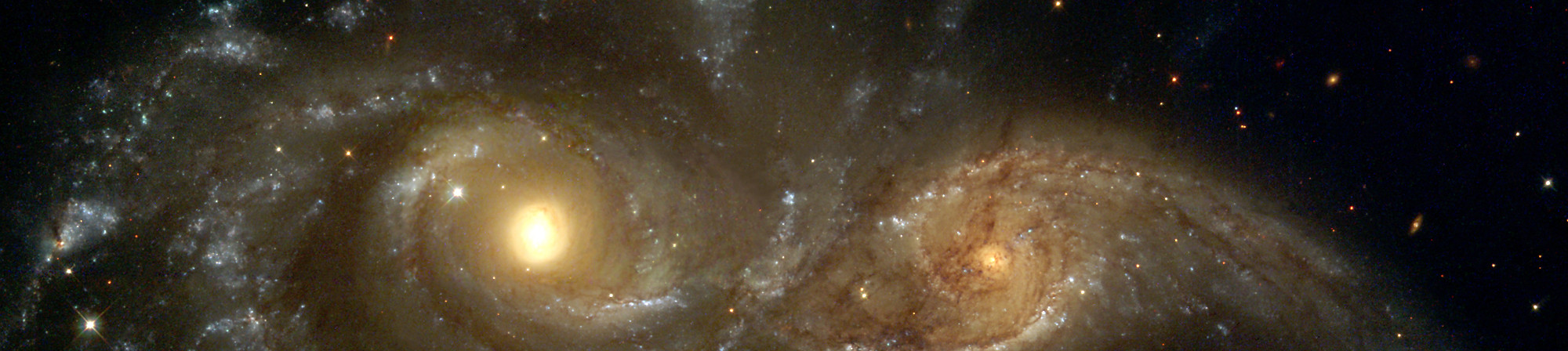
The Spin provides the Fedora KDE desktop enhanced with a complete scientific Python environment and the AstrOmatic software for data analysis. KStars was added to provide a full featured astrophotography tool. As KStars uses the INDI library to control equipment, various telescopes, cameras etc. are supported. Summarized, Fedora Astronomy provides a complete set of software, from the observation planning to the final results.
Astropy is a community python library for Astronomy to foster interoperability between astronomy packages.

Kstars provides an accurate graphical simulation of the night sky, from any location on Earth, at any date and time.

The free space simulation that lets you explore our universe in three dimensions.

Allow you to visualize any planet aspect at any time. Include extended feature database and texture.

Siril, a free astronomical image processing software.

The INDI Library is a cross-platform software designed for automation and control of astronomical instruments.

A powerful image composition and graphic editing app, similar to Adobe® Photoshop™.

Redshift adjusts the color temperature of your screen according to your surroundings.

AstrOmatic is a set of astronomical pipeline software.
ДАТА ВИХОДУ: вівторок, 23 квітня 2024 р.
Коли завантажите образ для встановлення системи, обов'язково впевніться, що він безпечний і не містить помилок.
Щоб перевірити образ на ознаки пошкодження чи шкідливих маніпуляцій, треба обчислити його контрольну суму на вашому комп'ютері та порівняти її з початковою. На додачу всі наші оригінальні образи підписані GPG-ключами Fedora.
Click the verify button to download the checksum file for your downloaded image.
Імпортуйте GPG-ключі Fedora
curl -O https://fedoraproject.org/fedora.gpg
Ви можете перевірити подробиці ключа(ів) GPG here.
Перевірте чинність файлу контрольної суми
gpgv --keyring ./fedora.gpg Fedora-Labs-40-1.14-*-CHECKSUM
Упевніться, що контрольні суми збігаються
sha256sum -c Fedora-Labs-40-1.14-*-CHECKSUM
Якщо бачите повідомлення, що файл цілий, ним можна користуватися!

By clicking on and downloading Fedora, you agree to comply with the Fedora Export Control Policy.