
IPython
IPython is an enhanced interactive shell with various features to support rapid interactive computing.
Wary of reinstalling all the essential tools for your scientific and numerical work? The answer is here. Fedora Scientific Spin brings together the most useful open source scientific and numerical tools atop the goodness of the KDE desktop environment.
Fedora Scientific currently ships with numerous applications and libraries. These range from libraries such as the GNU Scientific library, the SciPy libraries, tools like Octave and xfig to typesetting tools like Kile and graphics programs such as Inkscape. The current set of packages include an IDE, tools and libraries for programming in C, C++, Python, Java and R. Also included along with are libraries for parallel computing such as the OpenMPI and OpenMP. Tools for typesetting, writing and publishing are included.
IPython is an enhanced interactive shell with various features to support rapid interactive computing.
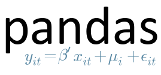
Pandas is a Python library mostly useful for data analysis.
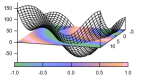
Gnuplot is a command line driven utility for creating 2D and 3D graphs.

Matplotlib is the most feature-rich Python library for creating publication ready graphs and figures.

R is a software environment for statistical computing.

Maxima is a computer algebra system.

Fedora Scientific includes the complete toolchain needed for creating documents using LaTeX.

GNU Octave is a high level programming language and numerical computing environment, mostly compatible with MATLAB.

The GNU Scientific Library is a C/C++ library providing a extensive collection of mathematical routines.
تاريخ الإصدار:
For Intel and AMD x86_64 systems
Fedora Scientific Lab 45Live ISO iso6.3 GiB
Fedora Scientific Lab 45Vagrant libvirt vagrant-libvirt.box4.6 GiB
Fedora Scientific Lab 45Vagrant VirtualBox vagrant-virtualbox.box4.5 GiB
For ARM® aarch64 systems
Fedora Scientific Lab 45Live ISO iso6.0 GiB
Fedora Scientific Lab 45Vagrant libvirt vagrant-libvirt.box4.1 GiB
Fedora Scientific Lab 45Raw raw.xz7.2 GiB

أصبح البدء في استخدام نظام فيدورا لينكس أسهل من أي وقت مضى. كل ما تحتاجه هو محرك أقراص USB سعة 4 جيجابايت وأداة Fedora Media Writer.
بعد تثبيت برنامج Fedora Media Writer، يمكنك استخدامه لنسخ نُسخة «Live» من نظام فيدورا لينكس على محرك أقراص فلاش. ستتمكن بعد ذلك من التمهيد من محرك الأقراص الفلاش وتجربة نظام فيدورا لينكس دون إجراء أي تغييرات دائمة على حاسوبك. وبمجرد أن تنال إعجابك، فإن نقل نظام فيدورا لينكس من محرك الأقراص المحمول إلى القرص الصلب لحاسوبك لن يتطلب سوى بضع نقرات.* مزيد من المعلومات
Fedora Media WriterApple macOS dmg !58.5 MiB
Fedora Media WriterApple macOS (ARM64) dmg !58.5 MiB
Fedora Media WriterMicrosoft Windows exe28.8 MiB
Fedora Media WriterMicrosoft Windows zip38.8 MiB
Fedora Media WriterLinux flatpak

xattr -d com.apple.quarantine FedoraMediaWriter-macos-*.dmg
حالما تفرغ من تنزيل صورة، احرص أن تتحقق من أمانها وموثوقيتها.
من خلال حساب تدقيق المجموع (checksum) للصورة ومقارنته بالتدقيق المجموعي الأصلي، يمكنك التأكد من أن الصورة لم يتم العبث بها أو تعرضها للتلف. كما توقِّع الصور باستخدام مفاتيح OpenPGP الخاصة بمشروع فيدورا (Fedora Project) لإثبات سلامتها.
اضغط زر التحقق لتحصل على تعليمات مخصّصة لما نزّلته.

By clicking on and downloading Fedora, you agree to comply with the Fedora Export Control Policy.