Skip to Main ContentStart of Main Content

Fedora Scientific Lab

Wary of reinstalling all the essential tools for your scientific and numerical work? The answer is here. Fedora Scientific Spin brings together the most useful open source scientific and numerical tools atop the goodness of the KDE desktop environment.

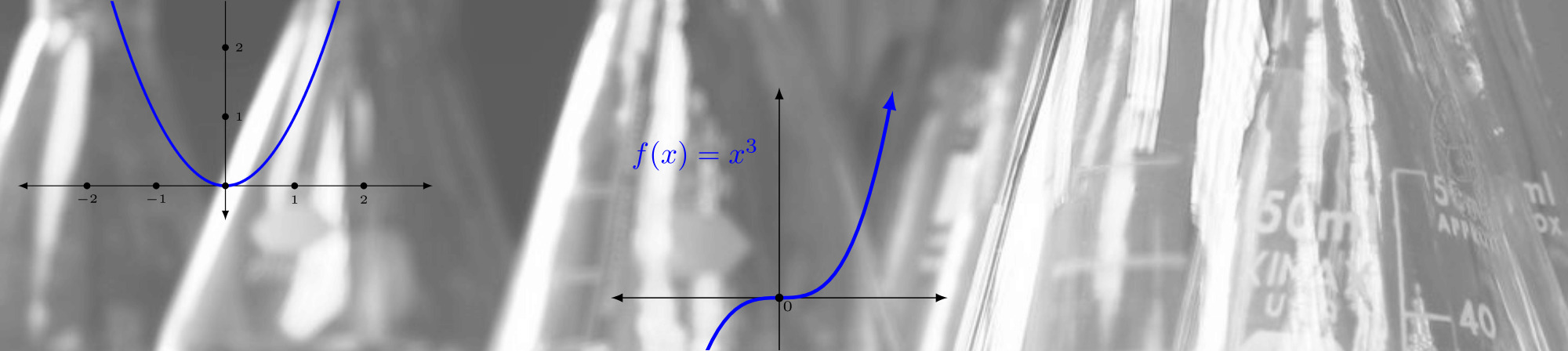
Fedora Scientific currently ships with numerous applications and libraries. These range from libraries such as the GNU Scientific library, the SciPy libraries, tools like Octave and xfig to typesetting tools like Kile and graphics programs such as Inkscape. The current set of packages include an IDE, tools and libraries for programming in C, C++, Python, Java and R. Also included along with are libraries for parallel computing such as the OpenMPI and OpenMP. Tools for typesetting, writing and publishing are included.
Featured Applications

GNU Octave

GNU Octave is a high level programming language and numerical computing environment, mostly compatible with MATLAB.

GNU Scientific Library

The GNU Scientific Library is a C/C++ library providing a extensive collection of mathematical routines.

Спампаваць Fedora Scientific Lab 45

ДАТА ВЫХОДУ:

For Intel and AMD x86_64 systems

Fedora Scientific Lab 45Live ISO iso6.3 GiB

Verify Your Download

Verify your download for security and integrity using the checksum file. If the checksum file has a valid signature from one of the the Fedora Project's OpenPGP certificates, and the SHA256 checksum matches the download, then the download is valid.

  • Спампуйце файл кантрольнай сумы у той жа каталог, што і вобраз, які вы спампавалі.

  • Download Fedora's OpenPGP certificates.

    curl -O https://fedoraproject.org/fedora.pgp
    curl -O https://fedoraproject.org/fedora.gpg

    You can verify the details of the OpenPGP certificates тут.

  • Use the OpenPGP-verified checksum to verify the download.
    You can use sq or gpgv to verify the checksum file.

    sq verify --cleartext --signer-file ./fedora.pgp \
                          Fedora-Labs-45-1.4-x86_64-CHECKSUM \
                          | sha256sum -c --ignore-missing
                    
    gpgv --keyring ./fedora.gpg --output - \
                          Fedora-Labs-45-1.4-x86_64-CHECKSUM \
                          | sha256sum -c --ignore-missing
                    

Калі вы бачыце паведамленне, што файл цэлы, вы можаце выкарыстоўваць яго!


Alternatively, if you just want to test for unintentional file corruption, you can skip the OpenPGP verification. The SHA256 checksum for this download should be:

0e6c889a7cfe44cdea8ee00d139b495f15f5b301c9677a5124a5ed0335843f3d

Fedora Scientific Lab 45Vagrant libvirt vagrant-libvirt.box4.6 GiB

Verify Your Download

Verify your download for security and integrity using the checksum file. If the checksum file has a valid signature from one of the the Fedora Project's OpenPGP certificates, and the SHA256 checksum matches the download, then the download is valid.

  • Спампуйце файл кантрольнай сумы у той жа каталог, што і вобраз, які вы спампавалі.

  • Download Fedora's OpenPGP certificates.

    curl -O https://fedoraproject.org/fedora.pgp
    curl -O https://fedoraproject.org/fedora.gpg

    You can verify the details of the OpenPGP certificates тут.

  • Use the OpenPGP-verified checksum to verify the download.
    You can use sq or gpgv to verify the checksum file.

    sq verify --cleartext --signer-file ./fedora.pgp \
                          Fedora-Labs-45-1.4-x86_64-CHECKSUM \
                          | sha256sum -c --ignore-missing
                    
    gpgv --keyring ./fedora.gpg --output - \
                          Fedora-Labs-45-1.4-x86_64-CHECKSUM \
                          | sha256sum -c --ignore-missing
                    

Калі вы бачыце паведамленне, што файл цэлы, вы можаце выкарыстоўваць яго!


Alternatively, if you just want to test for unintentional file corruption, you can skip the OpenPGP verification. The SHA256 checksum for this download should be:

a070ea48baeac42c1d1581a6ec9b4f381b371792f03b3e6c5424f84e02cc8281

Fedora Scientific Lab 45Vagrant VirtualBox vagrant-virtualbox.box4.5 GiB

Verify Your Download

Verify your download for security and integrity using the checksum file. If the checksum file has a valid signature from one of the the Fedora Project's OpenPGP certificates, and the SHA256 checksum matches the download, then the download is valid.

  • Спампуйце файл кантрольнай сумы у той жа каталог, што і вобраз, які вы спампавалі.

  • Download Fedora's OpenPGP certificates.

    curl -O https://fedoraproject.org/fedora.pgp
    curl -O https://fedoraproject.org/fedora.gpg

    You can verify the details of the OpenPGP certificates тут.

  • Use the OpenPGP-verified checksum to verify the download.
    You can use sq or gpgv to verify the checksum file.

    sq verify --cleartext --signer-file ./fedora.pgp \
                          Fedora-Labs-45-1.4-x86_64-CHECKSUM \
                          | sha256sum -c --ignore-missing
                    
    gpgv --keyring ./fedora.gpg --output - \
                          Fedora-Labs-45-1.4-x86_64-CHECKSUM \
                          | sha256sum -c --ignore-missing
                    

Калі вы бачыце паведамленне, што файл цэлы, вы можаце выкарыстоўваць яго!


Alternatively, if you just want to test for unintentional file corruption, you can skip the OpenPGP verification. The SHA256 checksum for this download should be:

63e33c4afde2a934f3eac72492bafe0bc2b02840f2856b87579f896664d2cac5

For ARM® aarch64 systems

Fedora Scientific Lab 45Live ISO iso6.0 GiB

Verify Your Download

Verify your download for security and integrity using the checksum file. If the checksum file has a valid signature from one of the the Fedora Project's OpenPGP certificates, and the SHA256 checksum matches the download, then the download is valid.

  • Спампуйце файл кантрольнай сумы у той жа каталог, што і вобраз, які вы спампавалі.

  • Download Fedora's OpenPGP certificates.

    curl -O https://fedoraproject.org/fedora.pgp
    curl -O https://fedoraproject.org/fedora.gpg

    You can verify the details of the OpenPGP certificates тут.

  • Use the OpenPGP-verified checksum to verify the download.
    You can use sq or gpgv to verify the checksum file.

    sq verify --cleartext --signer-file ./fedora.pgp \
                          Fedora-Labs-45-1.4-aarch64-CHECKSUM \
                          | sha256sum -c --ignore-missing
                    
    gpgv --keyring ./fedora.gpg --output - \
                          Fedora-Labs-45-1.4-aarch64-CHECKSUM \
                          | sha256sum -c --ignore-missing
                    

Калі вы бачыце паведамленне, што файл цэлы, вы можаце выкарыстоўваць яго!


Alternatively, if you just want to test for unintentional file corruption, you can skip the OpenPGP verification. The SHA256 checksum for this download should be:

1baed55bdfb140ae68225aff35072ae4bdf112cb2c2a523ae9b7fa1fa6769763

Fedora Scientific Lab 45Vagrant libvirt vagrant-libvirt.box4.1 GiB

Verify Your Download

Verify your download for security and integrity using the checksum file. If the checksum file has a valid signature from one of the the Fedora Project's OpenPGP certificates, and the SHA256 checksum matches the download, then the download is valid.

  • Спампуйце файл кантрольнай сумы у той жа каталог, што і вобраз, які вы спампавалі.

  • Download Fedora's OpenPGP certificates.

    curl -O https://fedoraproject.org/fedora.pgp
    curl -O https://fedoraproject.org/fedora.gpg

    You can verify the details of the OpenPGP certificates тут.

  • Use the OpenPGP-verified checksum to verify the download.
    You can use sq or gpgv to verify the checksum file.

    sq verify --cleartext --signer-file ./fedora.pgp \
                          Fedora-Labs-45-1.4-aarch64-CHECKSUM \
                          | sha256sum -c --ignore-missing
                    
    gpgv --keyring ./fedora.gpg --output - \
                          Fedora-Labs-45-1.4-aarch64-CHECKSUM \
                          | sha256sum -c --ignore-missing
                    

Калі вы бачыце паведамленне, што файл цэлы, вы можаце выкарыстоўваць яго!


Alternatively, if you just want to test for unintentional file corruption, you can skip the OpenPGP verification. The SHA256 checksum for this download should be:

83e5a57f0a0922dafb29076265b463f1a38484eca331046d7db7df18a9f0c5f1

Fedora Scientific Lab 45Raw raw.xz7.2 GiB

Verify Your Download

Verify your download for security and integrity using the checksum file. If the checksum file has a valid signature from one of the the Fedora Project's OpenPGP certificates, and the SHA256 checksum matches the download, then the download is valid.

  • Спампуйце файл кантрольнай сумы у той жа каталог, што і вобраз, які вы спампавалі.

  • Download Fedora's OpenPGP certificates.

    curl -O https://fedoraproject.org/fedora.pgp
    curl -O https://fedoraproject.org/fedora.gpg

    You can verify the details of the OpenPGP certificates тут.

  • Use the OpenPGP-verified checksum to verify the download.
    You can use sq or gpgv to verify the checksum file.

    sq verify --cleartext --signer-file ./fedora.pgp \
                          Fedora-Labs-45-1.4-aarch64-CHECKSUM \
                          | sha256sum -c --ignore-missing
                    
    gpgv --keyring ./fedora.gpg --output - \
                          Fedora-Labs-45-1.4-aarch64-CHECKSUM \
                          | sha256sum -c --ignore-missing
                    

Калі вы бачыце паведамленне, што файл цэлы, вы можаце выкарыстоўваць яго!


Alternatively, if you just want to test for unintentional file corruption, you can skip the OpenPGP verification. The SHA256 checksum for this download should be:

a008b204b76eac4b2ee06d0d15cd5a80c1b7a617e03c3c17d54fea9bddbfc44a
Для гэтай версіі няма файлаў.
Fedora Media Writer Icon

Fedora Media Writer

Getting started with Fedora Linux is easier than ever. All you need is a 4GB USB flash drive and the Fedora Media Writer utility.

After Fedora Media Writer is installed, you can use it to write a "Live" version of Fedora Linux to a flash drive. You will then be able to boot from your flash drive and try Fedora Linux out without making any permanent changes to your computer. Once you are hooked, transferring Fedora Linux from the flash drive to your computer's hard drive is a matter of clicking a few buttons.* Learn More

  • Most Fedora Linux variants recommend 40GB disk space and 4GB RAM to install and run. Double these amounts might yield a better experience depending on how the system is being used.

Fedora Media WriterApple macOS dmg !58.5 MiB

Fedora Media WriterApple macOS (ARM64) dmg !58.5 MiB

Fedora Media WriterMicrosoft Windows exe28.8 MiB

Fedora Media WriterMicrosoft Windows zip38.8 MiB

Fedora Media WriterLinux flatpak

!The macOS installer is not signed. You will need to run the following command to remove the "quarantine" attribute from the downloaded file before macOS will allow it to run: xattr -d com.apple.quarantine FedoraMediaWriter-macos-*.dmg

We Take Security Seriously

Спампоўваючы ўсталявальны вобраз сістэмы, пераканайцеся, што ён бяспечны і без памылак.

By calculating a image's checksum and comparing it to its original checksum, you can verify that a image has not been tampered with or corrupted. Images are also signed with the Fedora Project's OpenPGP keys to demonstrate their integrity.

Націсніце на кнопку , каб убачыць інструкцыі для адпаведнага варыянту загрузкі.

Націскаючы і загружаючы Fedora, вы згаджаецеся выконваць Палітыку экспартнага кантролю Fedora.