

Discjame Fedora Workstation 40
O sin contents che tu vedis decidût di provâ Fedora Workstation. O savìn che ti plasarà.
Date di publicazion: martars 23 di Avrîl dal 2024

Fedora Media Writer
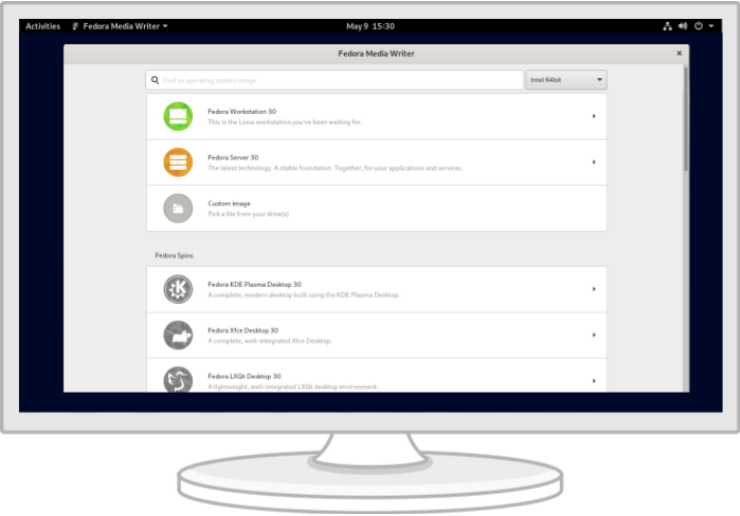
Tache doprant Fedora Media Writer, che al rint sempliç provâ Fedora. Altris informazions
Desideristu dome un file ISO?
Insigurece tal doprâ chescj files? Scuvierzilu achì
Ma spiete! A 'nd è di plui.
Ti covential alc di diviers? Bute un voli ai altris discjariaments chi sot, cun architeturis alternativis, torrents e imagjins di instalazion basadis su la rêt.
Altris discjariamentsO cjapìn sul seri la sigurece
Une volte discjamade une imagjin, viôt di verificâle sedi pe sigurece e che pe integritât.
Calcolant la sume di control de imagjin sul to computer e confrontantle cun chê origjinâl, tu puedis verificâ che la imagjin no vedi subît modifichis o che e sedi corote. Lis imagjinis a son ancje firmadis cun pgp cu lis clâfs di Fedora, par dimostrâ la lôr integrât.
Fâs clic sul boton di verifiche par otignî istruzions smiradis pal to discjariament.
Portatii cun Fedora pre-cjariât
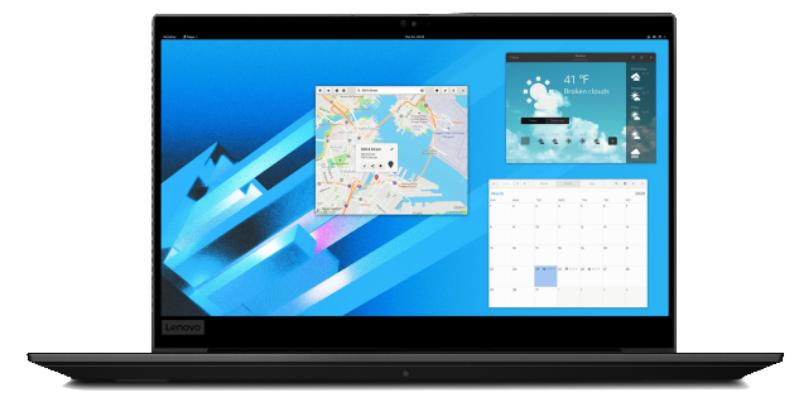
O vin colaborât cun aziendis come Lenovo par proponi portatii cun Fedora preinstalât, dant un supuart complet ai component hardware.
Esplore i portatii FedoraAltris infomazions su Fedora Media Writer
Tacâ a doprâ Fedora al è plui facil di simpri. Dut ce che ti covente e je une clavute USB di 2 GB e Fedora Media Writer. Une volte instalât Fedora Media Writer, la clavute e vignarà configurade par eseguî une version "Live" di Fedora Workstation, che al significhe che tu podarâs inviâle de clavute e provâle daurman, cence fâ modifichis permanentis sul to computer. Une volte pronts, la instalazion sul disc fis è je dome une cuistion di pôcs clics*.
* Fedora al domande un minim di 20 GB di disc e 2 GB di RAM par podêsi instalâ e zirâ cun sucès. Al è conseât dopleâ chestis cuantitâts.
Devente un colaboradôr di Fedora
Once you've got Fedora installed and running, why not join and contribute to one of our online communities?
Officially-supported Fedora community spaces



Community-maintained spaces
 /r/fedora
 Fedora Discord
 Telegram
By clicking on and downloading Fedora, you agree to comply with the Fedora Export Control Policy.