Skip to Main ContentStart of Main Content

Fedora Scientific Lab

Wary of reinstalling all the essential tools for your scientific and numerical work? The answer is here. Fedora Scientific Spin brings together the most useful open source scientific and numerical tools atop the goodness of the KDE desktop environment.

Fedora Scientific currently ships with numerous applications and libraries. These range from libraries such as the GNU Scientific library, the SciPy libraries, tools like Octave and xfig to typesetting tools like Kile and graphics programs such as Inkscape. The current set of packages include an IDE, tools and libraries for programming in C, C++, Python, Java and R. Also included along with are libraries for parallel computing such as the OpenMPI and OpenMP. Tools for typesetting, writing and publishing are included.
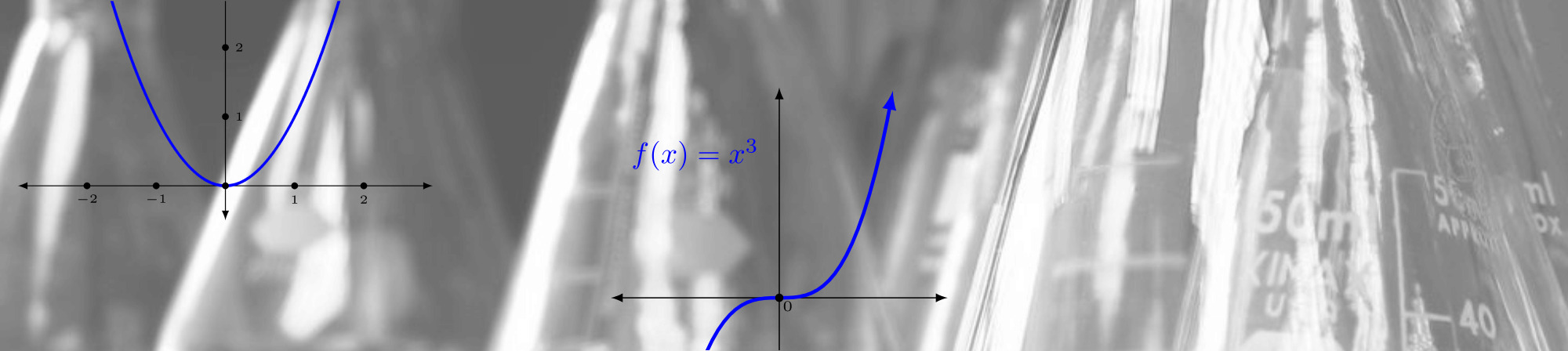
Featured Applications

IPython

IPython is an enhanced interactive shell with various features to support rapid interactive computing.
Pandas

Pandas is a Python library mostly useful for data analysis.
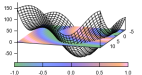
Gnuplot

Gnuplot is a command line driven utility for creating 2D and 3D graphs.

Matplotlib

Matplotlib is the most feature-rich Python library for creating publication ready graphs and figures.

R

R is a software environment for statistical computing.

Maxima

Maxima is a computer algebra system.

LaTeX

Fedora Scientific includes the complete toolchain needed for creating documents using LaTeX.

GNU Octave

GNU Octave is a high level programming language and numerical computing environment, mostly compatible with MATLAB.

GNU Scientific Library

The GNU Scientific Library is a C/C++ library providing a extensive collection of mathematical routines.

Download Fedora Scientific Lab 44

RELEASE DATE:

For Intel and AMD x86_64 systems

Fedora Scientific Lab 44Live ISOiso5.8 GiB

Verify Your Download

Verify your download for security and integrity using the checksum file. If the checksum file has a valid signature from one of the the Fedora Project's OpenPGP certificates, and the SHA256 checksum matches the download, then the download is valid.

  • Download the checksum file into the same directory as the image you downloaded.

  • Download Fedora's OpenPGP certificates.

    curl -O https://fedoraproject.org/fedora.pgp
    curl -O https://fedoraproject.org/fedora.gpg

    You can verify the details of the OpenPGP certificates here.

  • Use the OpenPGP-verified checksum to verify the download.
    You can use sq or gpgv to verify the checksum file.

    sq verify --cleartext --signer-file ./fedora.pgp \
                          Fedora-Labs-44-1.7-x86_64-CHECKSUM \
                          | sha256sum -c --ignore-missing
                    
    gpgv --keyring ./fedora.gpg --output - \
                          Fedora-Labs-44-1.7-x86_64-CHECKSUM \
                          | sha256sum -c --ignore-missing
                    

If the output states that the file is valid, then it's ready to use!



Alternatively, if you just want to test for unintentional file corruption, you can skip the OpenPGP verification. The SHA256 checksum for this download should be:

67e013d66116ec9abbb64811d3dc8cae83ba959fae326f2da569f98e9be10c3a

Fedora Scientific Lab 44Vagrant libvirtvagrant-libvirt.box4.1 GiB

Verify Your Download

Verify your download for security and integrity using the checksum file. If the checksum file has a valid signature from one of the the Fedora Project's OpenPGP certificates, and the SHA256 checksum matches the download, then the download is valid.

  • Download the checksum file into the same directory as the image you downloaded.

  • Download Fedora's OpenPGP certificates.

    curl -O https://fedoraproject.org/fedora.pgp
    curl -O https://fedoraproject.org/fedora.gpg

    You can verify the details of the OpenPGP certificates here.

  • Use the OpenPGP-verified checksum to verify the download.
    You can use sq or gpgv to verify the checksum file.

    sq verify --cleartext --signer-file ./fedora.pgp \
                          Fedora-Labs-44-1.7-x86_64-CHECKSUM \
                          | sha256sum -c --ignore-missing
                    
    gpgv --keyring ./fedora.gpg --output - \
                          Fedora-Labs-44-1.7-x86_64-CHECKSUM \
                          | sha256sum -c --ignore-missing
                    

If the output states that the file is valid, then it's ready to use!


Alternatively, if you just want to test for unintentional file corruption, you can skip the OpenPGP verification. The SHA256 checksum for this download should be:

ceac3da17cfc4d95ee917b90476f3cee145e401dc2216827ca813f096c7a4445

Fedora Scientific Lab 44Vagrant VirtualBoxvagrant-virtualbox.box4.1 GiB

Verify Your Download

Verify your download for security and integrity using the checksum file. If the checksum file has a valid signature from one of the the Fedora Project's OpenPGP certificates, and the SHA256 checksum matches the download, then the download is valid.

  • Download the checksum file into the same directory as the image you downloaded.

  • Download Fedora's OpenPGP certificates.

    curl -O https://fedoraproject.org/fedora.pgp
    curl -O https://fedoraproject.org/fedora.gpg

    You can verify the details of the OpenPGP certificates here.

  • Use the OpenPGP-verified checksum to verify the download.
    You can use sq or gpgv to verify the checksum file.

    sq verify --cleartext --signer-file ./fedora.pgp \
                          Fedora-Labs-44-1.7-x86_64-CHECKSUM \
                          | sha256sum -c --ignore-missing
                    
    gpgv --keyring ./fedora.gpg --output - \
                          Fedora-Labs-44-1.7-x86_64-CHECKSUM \
                          | sha256sum -c --ignore-missing
                    

If the output states that the file is valid, then it's ready to use!


Alternatively, if you just want to test for unintentional file corruption, you can skip the OpenPGP verification. The SHA256 checksum for this download should be:

393a79d620f389c46ff6b8a45e6bc6a5dac742d338350dc489a6207643c82143

For ARM® aarch64 systems

Fedora Scientific Lab 44Live ISOiso5.3 GiB

Verify Your Download

Verify your download for security and integrity using the checksum file. If the checksum file has a valid signature from one of the the Fedora Project's OpenPGP certificates, and the SHA256 checksum matches the download, then the download is valid.

  • Download the checksum file into the same directory as the image you downloaded.

  • Download Fedora's OpenPGP certificates.

    curl -O https://fedoraproject.org/fedora.pgp
    curl -O https://fedoraproject.org/fedora.gpg

    You can verify the details of the OpenPGP certificates here.

  • Use the OpenPGP-verified checksum to verify the download.
    You can use sq or gpgv to verify the checksum file.

    sq verify --cleartext --signer-file ./fedora.pgp \
                          Fedora-Labs-44-1.7-aarch64-CHECKSUM \
                          | sha256sum -c --ignore-missing
                    
    gpgv --keyring ./fedora.gpg --output - \
                          Fedora-Labs-44-1.7-aarch64-CHECKSUM \
                          | sha256sum -c --ignore-missing
                    

If the output states that the file is valid, then it's ready to use!


Alternatively, if you just want to test for unintentional file corruption, you can skip the OpenPGP verification. The SHA256 checksum for this download should be:

dfacc9a0e81c5282d9e97a33233d9006eef0d6e7c7728dd25b8cfd47c22440f9

Fedora Scientific Lab 44Vagrant libvirtvagrant-libvirt.box3.6 GiB

Verify Your Download

Verify your download for security and integrity using the checksum file. If the checksum file has a valid signature from one of the the Fedora Project's OpenPGP certificates, and the SHA256 checksum matches the download, then the download is valid.

  • Download the checksum file into the same directory as the image you downloaded.

  • Download Fedora's OpenPGP certificates.

    curl -O https://fedoraproject.org/fedora.pgp
    curl -O https://fedoraproject.org/fedora.gpg

    You can verify the details of the OpenPGP certificates here.

  • Use the OpenPGP-verified checksum to verify the download.
    You can use sq or gpgv to verify the checksum file.

    sq verify --cleartext --signer-file ./fedora.pgp \
                          Fedora-Labs-44-1.7-aarch64-CHECKSUM \
                          | sha256sum -c --ignore-missing
                    
    gpgv --keyring ./fedora.gpg --output - \
                          Fedora-Labs-44-1.7-aarch64-CHECKSUM \
                          | sha256sum -c --ignore-missing
                    

If the output states that the file is valid, then it's ready to use!


Alternatively, if you just want to test for unintentional file corruption, you can skip the OpenPGP verification. The SHA256 checksum for this download should be:

0c122bb1729f85ffde358488d23a1564e1cf5d7c2d562f557056b9982f18575c

Fedora Scientific Lab 44Rawraw.xz6.3 GiB

Verify Your Download

Verify your download for security and integrity using the checksum file. If the checksum file has a valid signature from one of the the Fedora Project's OpenPGP certificates, and the SHA256 checksum matches the download, then the download is valid.

  • Download the checksum file into the same directory as the image you downloaded.

  • Download Fedora's OpenPGP certificates.

    curl -O https://fedoraproject.org/fedora.pgp
    curl -O https://fedoraproject.org/fedora.gpg

    You can verify the details of the OpenPGP certificates here.

  • Use the OpenPGP-verified checksum to verify the download.
    You can use sq or gpgv to verify the checksum file.

    sq verify --cleartext --signer-file ./fedora.pgp \
                          Fedora-Labs-44-1.7-aarch64-CHECKSUM \
                          | sha256sum -c --ignore-missing
                    
    gpgv --keyring ./fedora.gpg --output - \
                          Fedora-Labs-44-1.7-aarch64-CHECKSUM \
                          | sha256sum -c --ignore-missing
                    

If the output states that the file is valid, then it's ready to use!


Alternatively, if you just want to test for unintentional file corruption, you can skip the OpenPGP verification. The SHA256 checksum for this download should be:

559bff7b1768fe56cb17a7332a5398a2a598f7013d892c4da8ab532f68b8c9ac
No files available for this version.
Fedora Media Writer Icon

Fedora Media Writer

Getting started with Fedora Linux is easier than ever. All you need is a 4GB USB flash drive and the Fedora Media Writer utility.

After Fedora Media Writer is installed, you can use it to write a "Live" version of Fedora Linux to a flash drive. You will then be able to boot from your flash drive and try Fedora Linux out without making any permanent changes to your computer. Once you are hooked, transferring Fedora Linux from the flash drive to your computer's hard drive is a matter of clicking a few buttons.* Learn More

  • Most Fedora Linux variants recommend 40GB disk space and 4GB RAM to install and run. Double these amounts might yield a better experience depending on how the system is being used.

Fedora Media WriterWindows and Mac

Fedora Media WriterLinux

We Take Security Seriously

Once you have downloaded an image, be sure to verify it for both security and integrity.

By calculating a image's checksum and comparing it to its original checksum, you can verify that a image has not been tampered with or corrupted. Images are also signed with the Fedora Project's OpenPGP keys to demonstrate their integrity.

Click the verify button to get instructions tailored for your download.

By clicking on and downloading Fedora, you agree to comply with the Fedora Export Control Policy.