Skip to Main ContentStart of Main Content

Наукова лабораторія Fedora

Боїтеся перевстановлювати всі необхідні інструменти для вашої наукової та обчислювальної роботи? Відповідь тут. Fedora Scientific Spin об'єднує найкорисніші наукові та обчислювальні інструменти з відкритим вихідним кодом на вершині доброти стільничного середовища KDE.

Наразі Fedora Scientific постачається з численними програмами та бібліотеками. Серед них бібліотеки GNU Scientific, бібліотеки SciPy, інструменти Octave та xfig, засоби набору тексту Kile та графічні програми, такі як Inkscape. Поточний набір пакунків включає IDE, інструменти та бібліотеки для програмування мовами C, C++, Python, Java та R. Також включено бібліотеки для паралельних обчислень, такі як OpenMPI та OpenMP. Включено інструменти для набору, написання та публікації текстів.
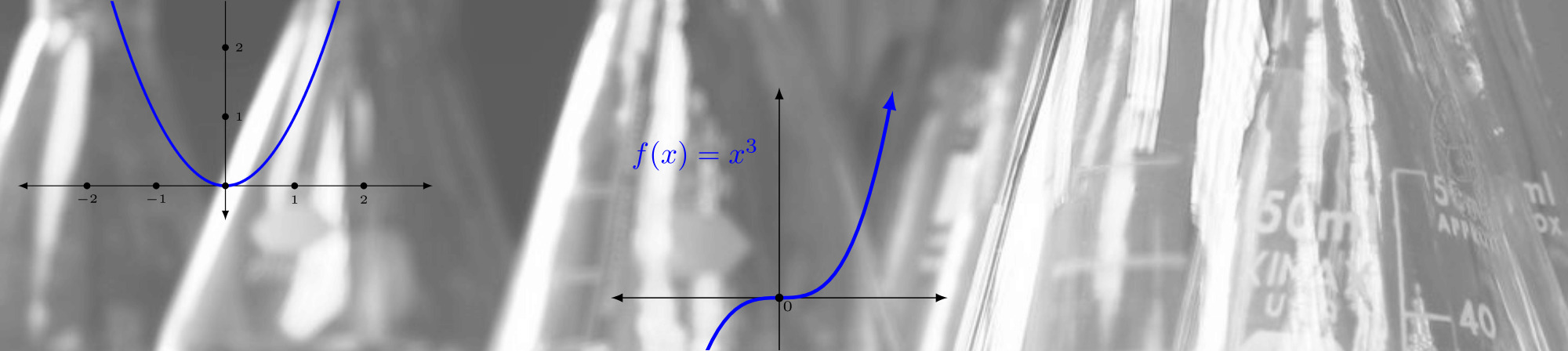
Основні додатки

IPython

IPython - це розширена інтерактивна оболонка з різноманітними можливостями для підтримки швидких інтерактивних обчислень.
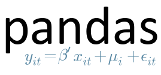
Панди

Pandas - це бібліотека Python, яка здебільшого використовується для аналізу даних.
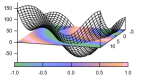
Gnuplot

Gnuplot - це утиліта командного рядка для створення 2D та 3D графіків.

Matplotlib

Matplotlib - це найбільш функціональна бібліотека Python для створення готових до публікації графіків та рисунків.

R

R - це програмне середовище для статистичних обчислень.

LaTeX

Fedora Scientific містить повний набір інструментів, необхідних для створення документів за допомогою LaTeX.

GNU Octave

GNU Octave - це мова програмування високого рівня і середовище чисельних обчислень, переважно сумісна з MATLAB.

Наукова бібліотека GNU

Наукова бібліотека GNU - це бібліотека C/C++, що містить велику колекцію математичних процедур.

Завантажити Наукова лабораторія Fedora 45

ДАТА ВИХОДУ:

For Intel and AMD x86_64 systems

Наукова лабораторія Fedora 45Live ISO iso6.3 GiB

Verify Your Download

Verify your download for security and integrity using the checksum file. If the checksum file has a valid signature from one of the the Fedora Project's OpenPGP certificates, and the SHA256 checksum matches the download, then the download is valid.

  • Завантажте файл Файл контрольної суми у той самий каталог, що і завантажений вами образ.

  • Download Fedora's OpenPGP certificates.

    curl -O https://fedoraproject.org/fedora.pgp
    curl -O https://fedoraproject.org/fedora.gpg

    You can verify the details of the OpenPGP certificates тут.

  • Use the OpenPGP-verified checksum to verify the download.
    You can use sq or gpgv to verify the checksum file.

    sq verify --cleartext --signer-file ./fedora.pgp \
                          Fedora-Labs-45-1.4-x86_64-CHECKSUM \
                          | sha256sum -c --ignore-missing
                    
    gpgv --keyring ./fedora.gpg --output - \
                          Fedora-Labs-45-1.4-x86_64-CHECKSUM \
                          | sha256sum -c --ignore-missing
                    

Якщо бачите повідомлення, що файл цілий, ним можна користуватися!


Alternatively, if you just want to test for unintentional file corruption, you can skip the OpenPGP verification. The SHA256 checksum for this download should be:

0e6c889a7cfe44cdea8ee00d139b495f15f5b301c9677a5124a5ed0335843f3d

Наукова лабораторія Fedora 45Vagrant libvirt vagrant-libvirt.box4.6 GiB

Verify Your Download

Verify your download for security and integrity using the checksum file. If the checksum file has a valid signature from one of the the Fedora Project's OpenPGP certificates, and the SHA256 checksum matches the download, then the download is valid.

  • Завантажте файл Файл контрольної суми у той самий каталог, що і завантажений вами образ.

  • Download Fedora's OpenPGP certificates.

    curl -O https://fedoraproject.org/fedora.pgp
    curl -O https://fedoraproject.org/fedora.gpg

    You can verify the details of the OpenPGP certificates тут.

  • Use the OpenPGP-verified checksum to verify the download.
    You can use sq or gpgv to verify the checksum file.

    sq verify --cleartext --signer-file ./fedora.pgp \
                          Fedora-Labs-45-1.4-x86_64-CHECKSUM \
                          | sha256sum -c --ignore-missing
                    
    gpgv --keyring ./fedora.gpg --output - \
                          Fedora-Labs-45-1.4-x86_64-CHECKSUM \
                          | sha256sum -c --ignore-missing
                    

Якщо бачите повідомлення, що файл цілий, ним можна користуватися!


Alternatively, if you just want to test for unintentional file corruption, you can skip the OpenPGP verification. The SHA256 checksum for this download should be:

a070ea48baeac42c1d1581a6ec9b4f381b371792f03b3e6c5424f84e02cc8281

Наукова лабораторія Fedora 45Vagrant VirtualBox vagrant-virtualbox.box4.5 GiB

Verify Your Download

Verify your download for security and integrity using the checksum file. If the checksum file has a valid signature from one of the the Fedora Project's OpenPGP certificates, and the SHA256 checksum matches the download, then the download is valid.

  • Завантажте файл Файл контрольної суми у той самий каталог, що і завантажений вами образ.

  • Download Fedora's OpenPGP certificates.

    curl -O https://fedoraproject.org/fedora.pgp
    curl -O https://fedoraproject.org/fedora.gpg

    You can verify the details of the OpenPGP certificates тут.

  • Use the OpenPGP-verified checksum to verify the download.
    You can use sq or gpgv to verify the checksum file.

    sq verify --cleartext --signer-file ./fedora.pgp \
                          Fedora-Labs-45-1.4-x86_64-CHECKSUM \
                          | sha256sum -c --ignore-missing
                    
    gpgv --keyring ./fedora.gpg --output - \
                          Fedora-Labs-45-1.4-x86_64-CHECKSUM \
                          | sha256sum -c --ignore-missing
                    

Якщо бачите повідомлення, що файл цілий, ним можна користуватися!


Alternatively, if you just want to test for unintentional file corruption, you can skip the OpenPGP verification. The SHA256 checksum for this download should be:

63e33c4afde2a934f3eac72492bafe0bc2b02840f2856b87579f896664d2cac5

For ARM® aarch64 systems

Наукова лабораторія Fedora 45Live ISO iso6.0 GiB

Verify Your Download

Verify your download for security and integrity using the checksum file. If the checksum file has a valid signature from one of the the Fedora Project's OpenPGP certificates, and the SHA256 checksum matches the download, then the download is valid.

  • Завантажте файл Файл контрольної суми у той самий каталог, що і завантажений вами образ.

  • Download Fedora's OpenPGP certificates.

    curl -O https://fedoraproject.org/fedora.pgp
    curl -O https://fedoraproject.org/fedora.gpg

    You can verify the details of the OpenPGP certificates тут.

  • Use the OpenPGP-verified checksum to verify the download.
    You can use sq or gpgv to verify the checksum file.

    sq verify --cleartext --signer-file ./fedora.pgp \
                          Fedora-Labs-45-1.4-aarch64-CHECKSUM \
                          | sha256sum -c --ignore-missing
                    
    gpgv --keyring ./fedora.gpg --output - \
                          Fedora-Labs-45-1.4-aarch64-CHECKSUM \
                          | sha256sum -c --ignore-missing
                    

Якщо бачите повідомлення, що файл цілий, ним можна користуватися!


Alternatively, if you just want to test for unintentional file corruption, you can skip the OpenPGP verification. The SHA256 checksum for this download should be:

1baed55bdfb140ae68225aff35072ae4bdf112cb2c2a523ae9b7fa1fa6769763

Наукова лабораторія Fedora 45Vagrant libvirt vagrant-libvirt.box4.1 GiB

Verify Your Download

Verify your download for security and integrity using the checksum file. If the checksum file has a valid signature from one of the the Fedora Project's OpenPGP certificates, and the SHA256 checksum matches the download, then the download is valid.

  • Завантажте файл Файл контрольної суми у той самий каталог, що і завантажений вами образ.

  • Download Fedora's OpenPGP certificates.

    curl -O https://fedoraproject.org/fedora.pgp
    curl -O https://fedoraproject.org/fedora.gpg

    You can verify the details of the OpenPGP certificates тут.

  • Use the OpenPGP-verified checksum to verify the download.
    You can use sq or gpgv to verify the checksum file.

    sq verify --cleartext --signer-file ./fedora.pgp \
                          Fedora-Labs-45-1.4-aarch64-CHECKSUM \
                          | sha256sum -c --ignore-missing
                    
    gpgv --keyring ./fedora.gpg --output - \
                          Fedora-Labs-45-1.4-aarch64-CHECKSUM \
                          | sha256sum -c --ignore-missing
                    

Якщо бачите повідомлення, що файл цілий, ним можна користуватися!


Alternatively, if you just want to test for unintentional file corruption, you can skip the OpenPGP verification. The SHA256 checksum for this download should be:

83e5a57f0a0922dafb29076265b463f1a38484eca331046d7db7df18a9f0c5f1

Наукова лабораторія Fedora 45Raw raw.xz7.2 GiB

Verify Your Download

Verify your download for security and integrity using the checksum file. If the checksum file has a valid signature from one of the the Fedora Project's OpenPGP certificates, and the SHA256 checksum matches the download, then the download is valid.

  • Завантажте файл Файл контрольної суми у той самий каталог, що і завантажений вами образ.

  • Download Fedora's OpenPGP certificates.

    curl -O https://fedoraproject.org/fedora.pgp
    curl -O https://fedoraproject.org/fedora.gpg

    You can verify the details of the OpenPGP certificates тут.

  • Use the OpenPGP-verified checksum to verify the download.
    You can use sq or gpgv to verify the checksum file.

    sq verify --cleartext --signer-file ./fedora.pgp \
                          Fedora-Labs-45-1.4-aarch64-CHECKSUM \
                          | sha256sum -c --ignore-missing
                    
    gpgv --keyring ./fedora.gpg --output - \
                          Fedora-Labs-45-1.4-aarch64-CHECKSUM \
                          | sha256sum -c --ignore-missing
                    

Якщо бачите повідомлення, що файл цілий, ним можна користуватися!


Alternatively, if you just want to test for unintentional file corruption, you can skip the OpenPGP verification. The SHA256 checksum for this download should be:

a008b204b76eac4b2ee06d0d15cd5a80c1b7a617e03c3c17d54fea9bddbfc44a
Немає файлів для цієї версії.
Fedora Media Writer Icon

Fedora Media Writer

Розпочати роботу з Fedora Linux — легше, ніж будь-коли. Все, що потрібно, — це USB-накопичувач обʼємом 4 ГБ і утиліта Fedora Media Writer.

Після встановлення Fedora Media Writer ви можете використовувати його для запису "Live"-версії Fedora Linux на USB-накопичувач. Тоді ви зможете завантажити Fedora Linux напряму зі свого накопичувача та випробувати його без внесення будь-яких постійних змін до вашого комп’ютера. Коли вже освоїтеся, перенесення Fedora Linux з флеш-накопичувача на жорсткий диск вашого комп’ютера зведеться до кількох кліків.*Дізнатись більше

  • Більшість варіантів Fedora Linux рекомендує для встановлення і запуску наявність 40 ГБ вільного дискового простору та 4 ГБ оперативної памʼяті. Вдвічі більший обʼєм цих показників може забезпечити кращий досвід, але це залежатиме від того, як система використовуватиметься.

Fedora Media WriterApple macOS dmg !58.5 MiB

Verify Your Download

The SHA256 checksum for this download should be:

48958cd464ee632ca6c9df7a3fe5da26cee4b7e4aada790b8372b80a69e8fb19

Fedora Media WriterApple macOS (ARM64) dmg !58.5 MiB

Verify Your Download

The SHA256 checksum for this download should be:

0f9f6ab47554f878259867681336a8f9127e098528a385c155a8d4f1f4369138

Fedora Media WriterMicrosoft Windows exe28.8 MiB

Verify Your Download

The SHA256 checksum for this download should be:

f53e0c1108f83a99ad0d7a9aee846822093b1afe595c78f13b22ba779d9f4bd4

Fedora Media WriterMicrosoft Windows zip38.8 MiB

Verify Your Download

The SHA256 checksum for this download should be:

1043a01b5bfc4b0a79b4f431696eeaeb18c605f38579009877aada3a836904da

Fedora Media WriterLinux flatpak

!The macOS installer is not signed. You will need to run the following command to remove the "quarantine" attribute from the downloaded file before macOS will allow it to run: xattr -d com.apple.quarantine FedoraMediaWriter-macos-*.dmg

We Take Security Seriously

Коли завантажите образ для встановлення системи, обов'язково впевніться, що він безпечний і не містить помилок.

By calculating a image's checksum and comparing it to its original checksum, you can verify that a image has not been tampered with or corrupted. Images are also signed with the Fedora Project's OpenPGP keys to demonstrate their integrity.

Клацніть на кнопці «», щоб побачити інструкції для відповідного варіанту завантаження.

Натискаючи та завантажуючи Fedora, ви погоджуєтеся дотримуватися Fedora Export Control Policy (https://docs.fedoraproject.org/en-US/legal/export/).